← Back to Baila
How it works

Getting started with Baila for your dance school?

When you start, your dance school gets its own environment at its own address, online within a few minutes. You try Baila for 90 days without obligation and need no payment details to start. After that, the work looks like this: you create your activities, students register and take out a membership, and the recurring work keeps running by itself.

Step 1 · Create your activities

You put your programme in the schedule.

In the back office you create your programme: weekly classes, courses of several weeks or one-off activities. For each activity you set who teaches it, at which location it takes place, how many places there are and which level it is meant for.

You can also have it prepared: on request the back-office agent works out a proposal, such as an eight-week beginners course on Thursdays, and nothing changes without your confirmation.

The activity overview in the back office: a week of classes with title, course, start time and location, from Salsa Beginners to Ladies Styling.

Step 2 · Your schedule online

Your schedule sits where your audience is.

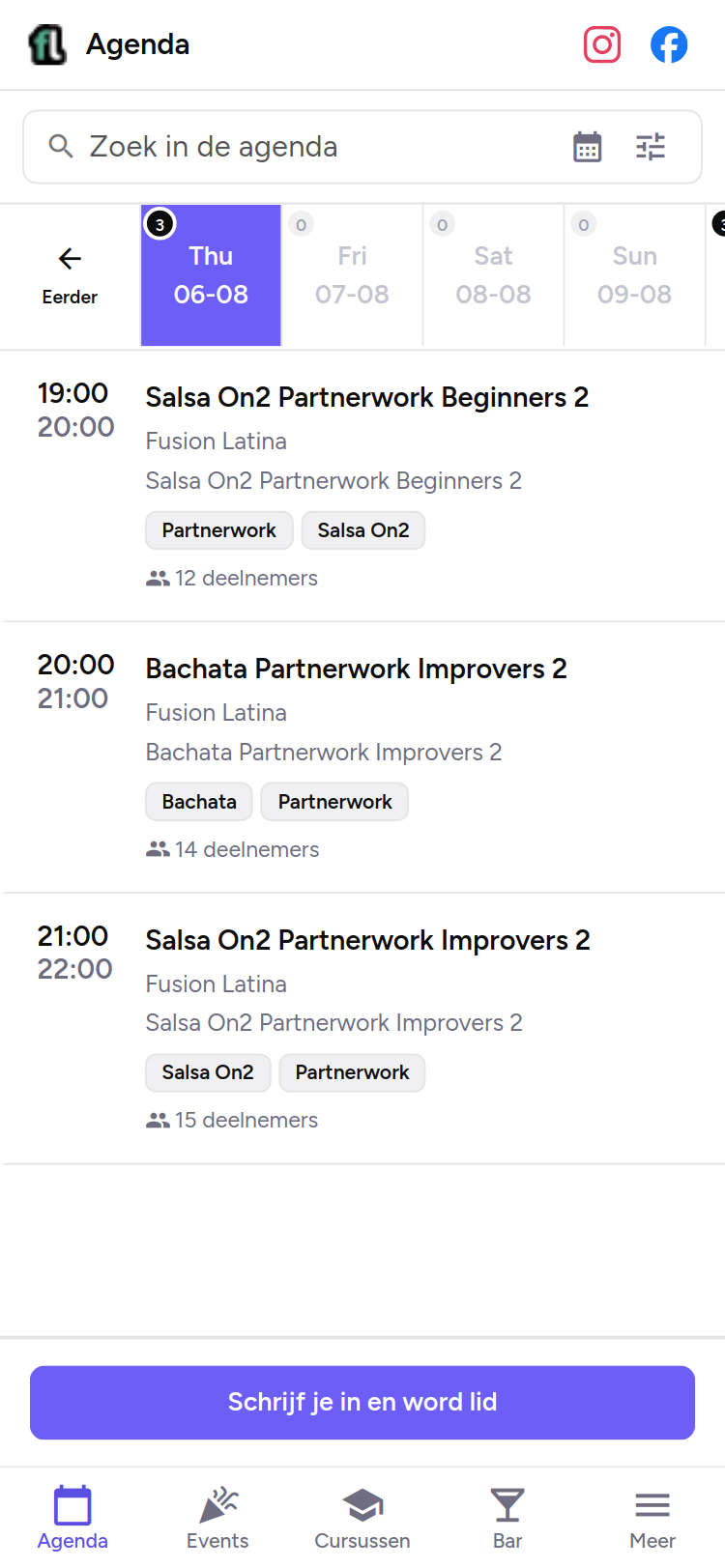
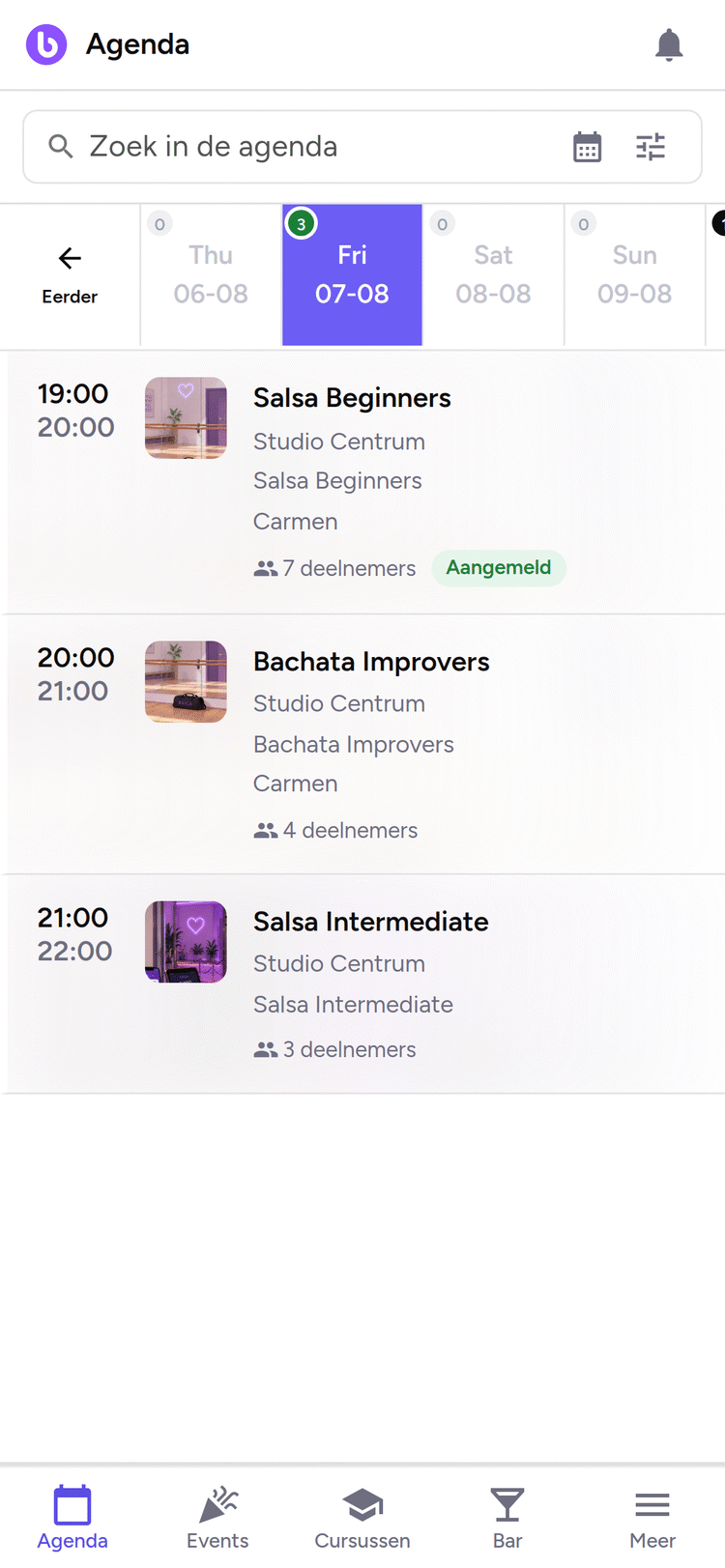
Every published activity appears directly in the schedule of the customer portal, your school’s environment where students search and book. You place the same week schedule as an embedded element on your own website, so your programme stays current there too.

There is no schedule to copy over: change something in the back office and it is updated in both places.

The website fusionlatina.nl with the embedded Baila week schedule: a full week of classes with times, levels, teachers and participant counts, in the school’s own branding.

Fusion Latina’s real schedule, embedded on their own website fusionlatina.nl.

Step 3 · Students register

Students register themselves.

Students register through your school’s registration form, with the intake questions you add yourself and, if you set it, a registration fee. Anyone who first wants to get acquainted books a class at the try-out price that only applies to new and returning students.

Booking can also happen before the registration is fully complete: anyone who already has a Baila account books first and afterwards only fills in your school’s registration questions, after which the saved booking simply goes through.

Chat with the assistant: a student asks which bachata class fits her level. The assistant suggests Bachata Improvers, Friday at 20:00, and offers to sign her up.

Step 4 · Memberships and payment

They take out the membership themselves.

Your student takes out a membership in the customer portal, with a start date and payment method, and changes or ends it there later as well. The direct debit then keeps running and you follow the status of every charge in the back office, from open to paid.

Next to memberships you sell class passes. When a student cancels a class in time, they receive a catch-up strip and the schedule shows which classes it can be used for.

The My membership screen in the customer portal: the active membership with renewal date, the catch-up credit and the payment history with the planned direct debit.

Step 5 · From then on

From then on it keeps running.

The recurring work keeps running by itself. The weekly booking reminder with its sign-off link goes out, a reported absence cancels the bookings in that period in one go and the direct debit follows the membership. For tickets, the stock limit guards that no more is sold than is available, and price phases change price at the moments you set.

Your team mostly looks at exceptions, with the back-office agent as the quickest way in: ask what needs attention and you get the open points.

The back office settings: switches and time limits for the weekly booking reminder, the try-out price and self-service cancellation by students.
Frequently asked questions

Questions when getting started

How long can I try Baila without obligation?
For the first 90 days you pay no package price. You use that period to set up your environment and simply use it with your students.
Do I need payment details to start?
No. You create your environment without payment details. They only come into play when you continue with a subscription after the trial period.
What does Baila cost after the trial period?
After the trial period the price is € 69 per month excluding VAT, and you can cancel monthly. Costs per sale, such as ticket fees, are separate and apply from day one.
Can I switch with the data from my current system?
Yes. When your subscription starts we move your members, classes and memberships across free of charge. What exactly comes across is agreed beforehand.
Do my students need to install an app?
No. The customer portal works in the browser and can be added to the home screen as an app. Your student lands directly in your school’s environment.

Ready to begin?

You create your environment at its own address, put your first activity in the schedule and receive registrations and payments.

  • Online within 5 minutes.
  • 90 days, no obligation*
  • No payment details needed to start.

*For the first 90 days you pay no package price. After that it is € 69 per month excluding VAT and you can cancel monthly. Costs per sale, such as ticket fees, apply from day one.